If you’ve ever dug through a spreadsheet at 11pm trying to remember when you last followed up with a prospect, this post is for you.
Customer database software is one of those things that sounds boring until the moment you realize you’ve been losing money by not using it. When your contacts live in your email inbox, a Google Sheet, a sticky note, and your memory all at the same time, you’re not running a business, you’re playing whack-a-mole.
This guide breaks down what customer database software actually does, what features matter for small businesses specifically, and which tools are worth your time in 2026. No fluff, no enterprise pitch. Just what you need to make a smart call.
What Is Customer Database Software (and Why Does It Matter)?
At its core, customer database software is a centralized place to store and manage information about your contacts: leads, customers, past clients, prospects. It replaces the scattered mess of spreadsheets and inboxes with a single source of truth.
But the good stuff goes beyond just storing names and emails. The best tools let you track interactions, set follow-up reminders, segment your list, and trigger automations based on where someone is in your pipeline. That’s where the real leverage is.
For a small business, this matters for a simple reason: you can’t afford to let leads fall through the cracks. You don’t have a sales team of 20 people to absorb the chaos. Every missed follow-up is real money out the door.
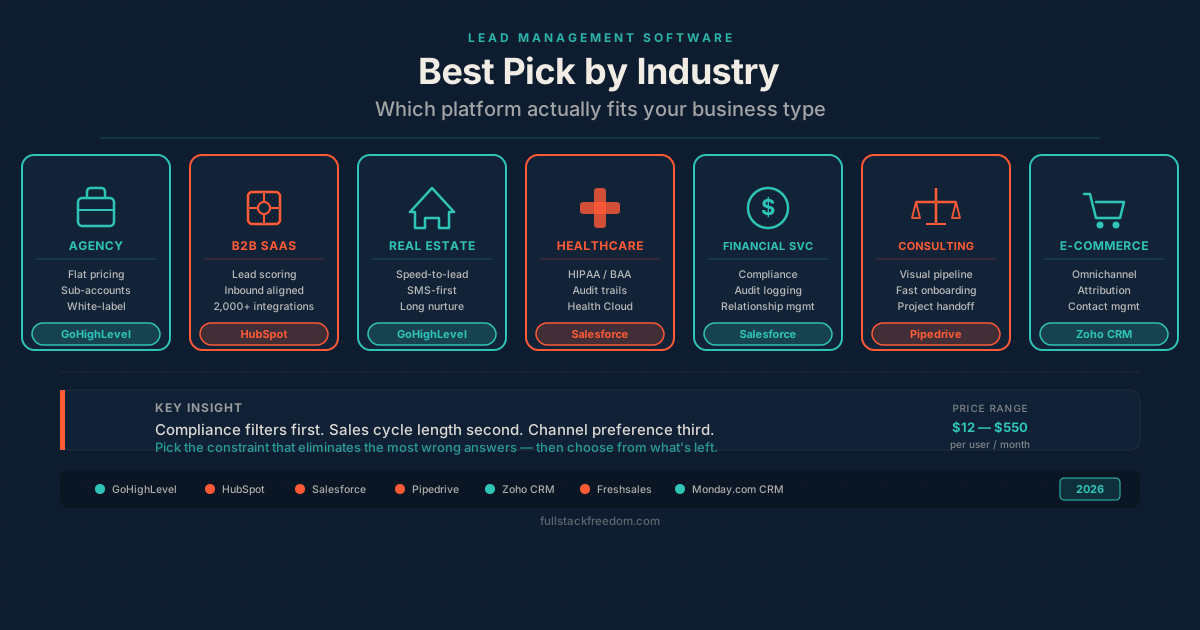
If you’re also thinking about lead tracking and pipeline management alongside contact storage, check out Best Lead Management Software. It pairs well with this guide.
What to Look for in Customer Database Software for Small Business
Not all tools are built for the same buyer. Enterprise CRMs can have hundreds of features you’ll never use and a price tag to match. Here’s what actually matters at the small business level:
1. Ease of Use
If it takes three hours to set up and you need a certification to add a contact, it won’t get used. Look for a clean interface that someone on your team can pick up in a day.
2. Contact Management and Segmentation
Can you tag, filter, and segment your contacts? Being able to pull a list of “all clients who bought X in the last 6 months” or “all leads who haven’t been contacted in 30 days” is where the software earns its keep.
3. Pipeline or Deal Tracking
A customer database without pipeline visibility is just a fancy address book. Stages matter. You want to see where every lead stands without opening ten tabs.
4. Automation Capabilities
Even basic automation (like a follow-up email going out automatically after a new lead submits a form) saves you hours per week. Look for tools that handle this without requiring a developer. Once your database is in place, AI-powered personalization can take those automations further by adapting content and timing to each contact’s behavior.
5. Integration with Your Existing Stack
Does it connect to your email? Your website forms? Your calendar? Standalone tools that don’t talk to anything create more work, not less.
6. Price That Makes Sense for Your Stage
Most small businesses don’t need $150/month per seat. Look for tools that offer real value at a flat monthly rate or scale gently as you grow.
The Best Customer Database Software for Small Business in 2026
Here’s an honest look at the tools worth considering, starting with what I actually use and recommend.
GoHighLevel — Best All-in-One Option for Service Businesses and Agencies
GoHighLevel is what I run my own operations on, and it’s what I recommend to most founders and agency owners who are serious about growth.
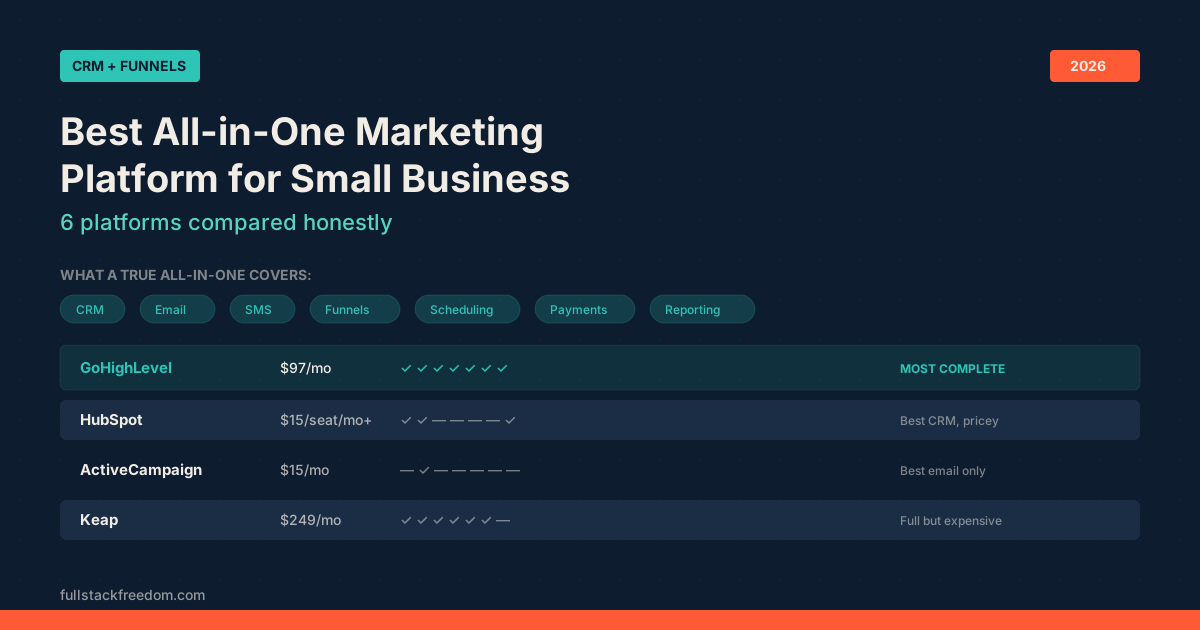
It’s not just a customer database. It’s a full CRM, pipeline manager, automation builder, and marketing platform in one. Your contacts live alongside your pipelines, your email sequences, your SMS campaigns, and your booking calendar. Everything connects because it’s all in the same system.
What makes it stand out for small businesses:
- Unlimited contacts, no per-contact pricing
- Visual pipeline builder, drag-and-drop stages, easy to customize
- Built-in automation: trigger emails, texts, and tasks based on contact behavior
- Two-way SMS and email: communicate from inside the platform
- White-label ready: if you’re an agency, you can resell it
The learning curve is real. GoHighLevel is powerful, and that means there’s more to set up upfront. But once it’s running, it runs. If you want the deep breakdown, here’s my GoHighLevel Review.
Best for: Service businesses, agencies, coaches, consultants. Anyone who needs a full client management and marketing system under one roof.
Pricing: Starts at $97/month for the Starter plan, $297/month for the Pro plan with unlimited sub-accounts.
HubSpot CRM — Best Free Starting Point
HubSpot has a genuinely useful free CRM tier that’s hard to beat if you’re just getting started and not ready to commit to a paid tool. Contact management, deal pipelines, email tracking, and basic reporting are all included at no cost.
The catch: HubSpot’s paid tiers get expensive fast, and a lot of the features that make it really useful (sequences, advanced automation, custom reporting) are locked behind higher plans. It’s a great place to start, but many businesses outgrow the free version and face sticker shock on the upgrade.
Best for: Very early-stage businesses that need something free and functional right now.
Notion + Databases — Best DIY Option for Simple Needs
If your client volume is low and your needs are simple, a well-built Notion database can actually work well as a lightweight CRM. You get flexible properties, filtering, views, and it’s easy to customize.
The downside is obvious: Notion doesn’t send emails, doesn’t automate follow-ups, and doesn’t integrate with your forms without extra tooling. You’re stitching things together manually. Fine for 20 clients, not fine for 200.
Best for: Solo operators or freelancers with a small, stable client base who want something dead simple.
Zoho CRM — Best Budget Option with Room to Grow
Zoho CRM hits a solid middle ground: more robust than a free HubSpot tier, but more affordable than most enterprise tools. It has strong contact management, workflow automation, and a decent integration library.
The interface can feel dated, and the breadth of Zoho’s product suite (they make everything) can make it confusing to figure out what you actually need. But if price is the primary constraint and you want something purpose-built as a CRM, Zoho is worth a look.
Best for: Budget-conscious small businesses that want a true CRM without the enterprise price tag.
How to Choose the Right Tool for Your Business
Here’s the honest framework I’d use:
If you’re just getting started and have fewer than 50 contacts to manage: start with HubSpot’s free CRM. Get your process down before you invest in something more powerful.
If you’re a service business, agency, or coach and you’re doing any kind of outreach, nurturing, or follow-up: GoHighLevel is the move. The upfront setup pays off. I’ve seen businesses transform their conversion rates just by having visibility into where every lead stands.
If you’re a solo operator with simple needs: Notion or a lightweight tool might be all you need for now. Don’t over-engineer it.
The goal is to get your clients and prospects into one place and to make sure nothing falls through the cracks. The specific tool matters less than the habit of actually using it.
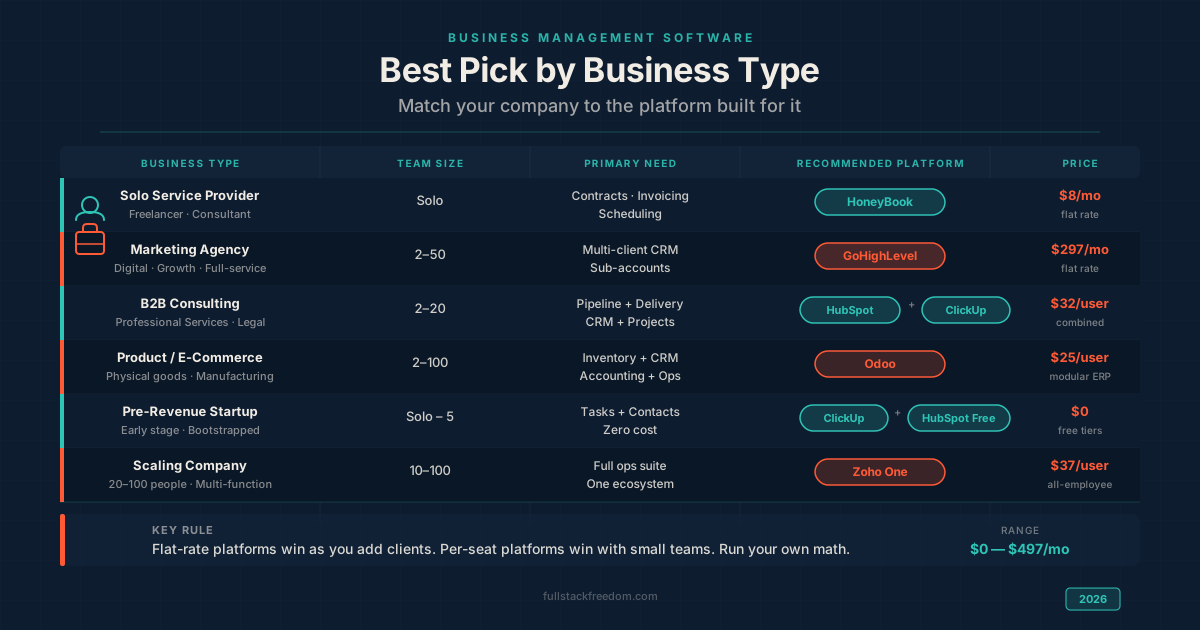
For more context on how customer database software fits into your broader business management setup, see Business Management Software for Small Companies. And if you’re running campaigns alongside your CRM, Best All-in-One Marketing Platform covers how to tie it all together.
What This Means for You
The businesses that grow consistently aren’t the ones with the biggest budgets. They’re the ones with the tightest systems. A customer database isn’t overhead. It’s infrastructure.
When your contacts are organized, you follow up faster. When you follow up faster, you close more. When you close more, you grow. It’s not complicated. It’s just hard to do when everything is scattered.
If you’re already using a CRM and want to level up how you’re using it, I put the templates and workflow setups I use inside the Skool community, free to join. And if you want these kinds of breakdowns in your inbox, the newsletter is where I share what I’m building and testing each week.
Pick a tool. Start simple. Build from there.