Most agents buy the wrong CRM not because they chose a bad platform, but because they paid for features they didn’t need yet. They see a slick demo, get upsold on the team plan, and end up with $300/month software they use to store contacts and send the occasional email. The real estate CRM features that matter most depend entirely on your stage and how you actually work.
This is the breakdown I give every founder I talk to who’s in the real estate space and trying to figure out what they actually need.
What Makes a Real Estate CRM Different
Generic CRMs (your HubSpots, your Pipedrive) weren’t built for how agents operate. They’re built for B2B sales cycles where a rep is working 20 accounts and moving deals through a pipeline over 60-90 days. Real estate is nothing like that.
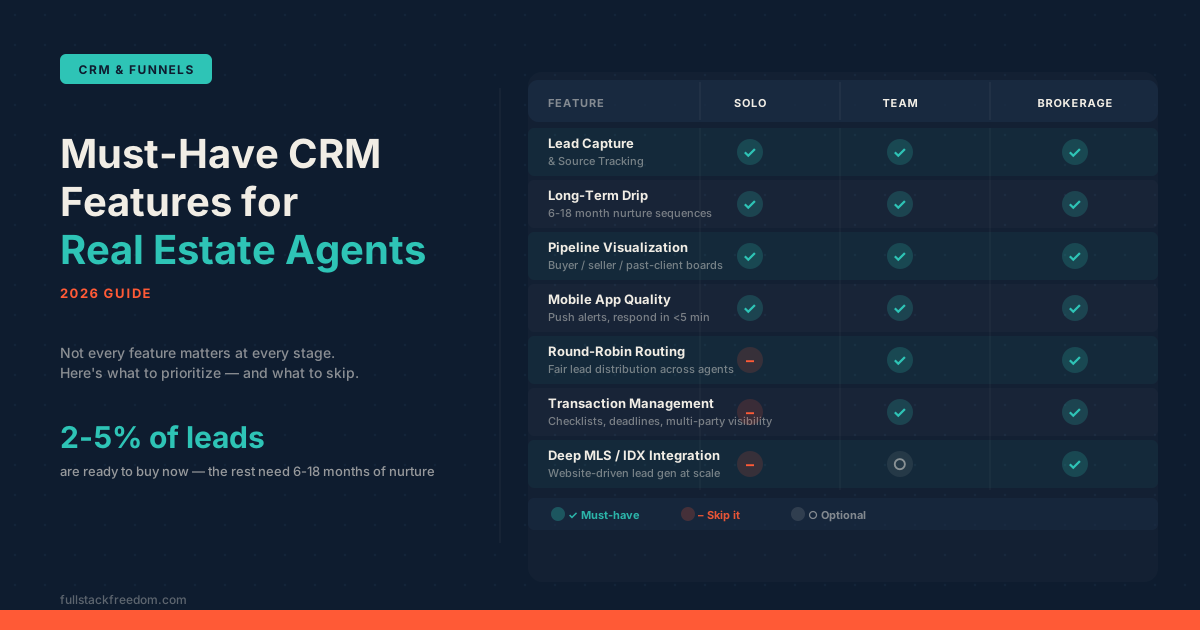
Only 2-5% of real estate leads are ready to transact immediately. The rest are 6-18 months out. That means the whole game is long-term nurture, not fast closing velocity. You also have showing coordination, MLS data flowing in from multiple sources, commission-based tracking instead of revenue stages, and leads coming in at 11pm expecting a response in under 5 minutes.
A B2B CRM doesn’t solve any of those things natively. That’s why the real estate CRM category exists as a distinct market, and why picking one that understands your workflow matters more than picking one with the best UI.
The Real Estate CRM Features Every Agent Needs
These are non-negotiable regardless of whether you’re a solo agent closing 10 deals a year or a team lead running a group of six. If a CRM doesn’t do these things well, it’s not the right fit.
1. Lead Capture and Source Tracking
You need to know where every lead came from: Zillow, Realtor.com, social, paid ads, a referral, an open house sign-in sheet. If you can’t attribute the source, you can’t optimize your marketing spend. The CRM should auto-capture inbound leads, auto-tag by source, and drop them into the right sequence automatically, with no manual data entry required.
This matters more than most agents realize. When you’re three years in and spending $2,000/month on Zillow leads, you need to know your actual close rate from that source versus your organic referral rate. That data only exists if you tracked it from day one.
2. Long-Term Drip and Nurture Sequences
This is the feature that separates CRMs built for real estate from everything else. You need automated follow-up that runs for 6 to 18 months without you doing anything after the initial setup. The first 30-45 days should have 5-7 touchpoints minimum (email, text, a call task). After that, monthly at minimum.
Behavior-triggered branching makes this even more powerful: if a lead clicks a listing link, they move into a more active sequence. If they go quiet for 60 days, they drop into a re-engagement drip. The best real estate CRMs handle this natively. Generic CRMs make you build it from scratch.
3. Pipeline Visualization
You need a visual deal board: drag-and-drop stages, color-coded status, easy to see where everything sits at a glance. But here’s the part most agents miss: your buyer pipeline, seller pipeline, and past-client pipeline are three different things and should be tracked separately. Collapsing them into one generic “deals” view means you’ll lose context constantly.
A seller going through listing prep has completely different stages than a buyer who just got pre-approved. Build separate pipelines for each and you’ll never wonder what to do next with any contact.
4. Mobile App Quality
Agents aren’t at desks. Deals happen at properties, in cars, at coffee shops. If your CRM’s mobile app is clunky, you’ll stop using it, and then you’re back to a mess of text threads and a notes app. Responding within 5 minutes makes you 9x more likely to connect with a new lead than responding 30 minutes later. That only happens if your phone is alerting you immediately and you can act from the notification.
Look for push notifications on new leads, quick-reply capability, and the ability to log calls and notes from your phone in under 30 seconds. That’s the bar.
5. Multi-Channel Communication
Email alone isn’t enough. Leads expect text. Some want a call. Some respond to voicemail drops. Multi-channel outreach consistently outperforms single-channel, and every interaction needs to be logged automatically without you having to copy-paste anything.
The CRM should handle email, SMS, and call logging in one place. Bonus if it includes a power dialer or integrates with one. If you’re hunting down conversations across Gmail, your phone’s message thread, and a separate calling app, you’ll lose leads through the cracks.
Features That Matter When You’re Growing a Team
Once you add agents, the feature requirements shift significantly. These move from nice-to-have to required.
Round-robin lead routing becomes essential the moment you have more than one agent. Without it, two agents will call the same lead within minutes of each other, and that looks deeply unprofessional. Fair distribution and collision prevention have to be automatic. Showing scheduling also needs to be centralized so you can see what’s happening across the whole team without texting everyone individually.
Team visibility and agent performance reporting matter for a different reason: accountability. You need to see lead-to-appointment conversion rates, response time averages, and pipeline progression by agent. Not to micromanage, but to coach. If one agent’s response time is 45 minutes and another’s is 3 minutes, that’s a conversation you need to have with data behind it.
Transaction management (checklists, deadline tracking, multi-party visibility across the agent, client, lender, and title company) becomes a real operational need once you’re running multiple transactions simultaneously. It can live in the CRM or in a separate tool, but it can’t live in your head.
Features Brokerages Actually Need
Full brokerage operations layer on another set of requirements that most solo agents and small teams genuinely don’t need. Advanced production analytics, compliance tracking, document management, multi-office dashboards, and deep MLS/IDX integration for website-driven lead generation. These are real needs at scale.
Deep IDX integration is particularly important for brokerages running their own website as a lead generation channel. When a buyer saves a property search on your site, they should flow directly into a nurture sequence in your CRM with the search parameters captured. That’s only possible with tight integration between your IDX layer and your CRM.
What You Can Actually Skip
Here’s the part nobody says out loud: most solo agents don’t need most of what the premium platforms are selling them. If you’re closing 12-15 deals a year by yourself, you do not need round-robin routing, brokerage-level compliance tracking, or enterprise analytics.
kvCORE starts at $500+/month. That’s a legitimate tool with legitimate features, for a team or brokerage that needs all of it. For a solo agent, you’d be paying for an airplane when you need a car. The same is true for any platform that bundles advanced team features into the base price and calls it an all-in-one.
Transaction management is another area where you have permission to use a separate tool until you genuinely need everything under one roof. Dotloop and Paperless Pipeline both handle transaction coordination cleanly without requiring you to upgrade your CRM. Keep your CRM for lead management and let a dedicated transaction tool handle the paperwork side until the complexity demands integration.
The question to ask before any CRM decision is: “Do I actually use this feature, or does it just sound useful?” Be ruthless about that.
Platform Quick Reference
Every platform has a real use case. Here’s the honest breakdown:
| Platform | Best For | Starting Price |
|---|---|---|
| Follow Up Boss | Teams focused on speed-to-lead | $69–$1,000/mo |
| LionDesk | Budget-conscious solo agents | $39/mo |
| Sierra Interactive | IDX website + CRM in one bundle | $300–$400/mo |
| GoHighLevel | Tech-forward agents who want full control | $97–$297/mo |
A note on GoHighLevel: at $297/month you get CRM, SMS, email marketing, landing pages, and full automation, for less than kvCORE’s entry price. The tradeoff is setup complexity and no native MLS integration. It’s not plug-and-play the way Follow Up Boss is, and it doesn’t have real estate-specific templates baked in. But for an agent who’s technically comfortable and wants to build custom workflows without paying for a platform that assumes you’ll do everything their way, it’s genuinely powerful.
Follow Up Boss remains the benchmark for team-focused speed-to-lead specifically. LionDesk is a solid starting point for agents who want to test the CRM category without a big financial commitment. Sierra Interactive makes the most sense if you want your CRM and IDX website managed from one place.
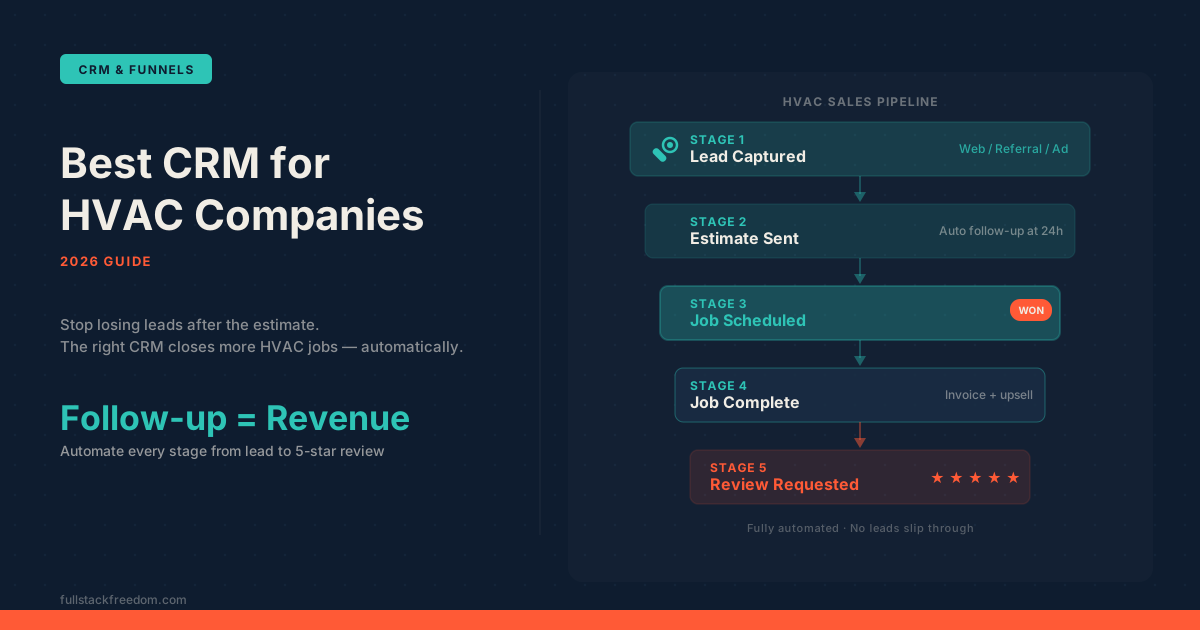
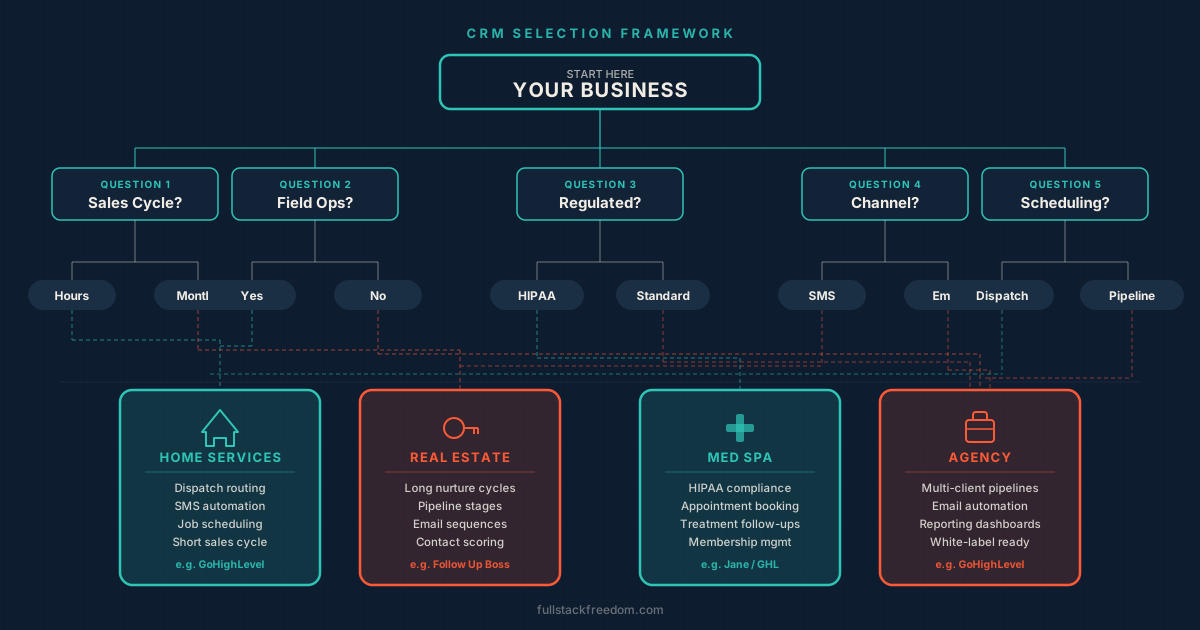
If you’re still figuring out which CRM category fits your business model, my guide on choosing a CRM for your industry walks through the full framework before you start comparing platforms. And if you’re in a different service vertical, best CRM for HVAC companies covers the field service side of this in the same level of detail.
Start With the Core, Add Complexity Later
The mistake is buying for where you want to be instead of where you are. Start with lead capture, nurture sequences, and a clean pipeline. Get those working well, and you’ll close more deals than you would with a feature-heavy platform you’re only using at 30%.
Add team features when you actually have a team. Add brokerage tools when you’re running a brokerage. The right CRM grows with you, but you have to let it start where you are.
If you want the actual automation templates I use for real estate nurture sequences (including the first 45-day follow-up framework), they’re inside the Skool community. Free to join, and everything’s organized by use case so you can grab what’s relevant and skip what isn’t.
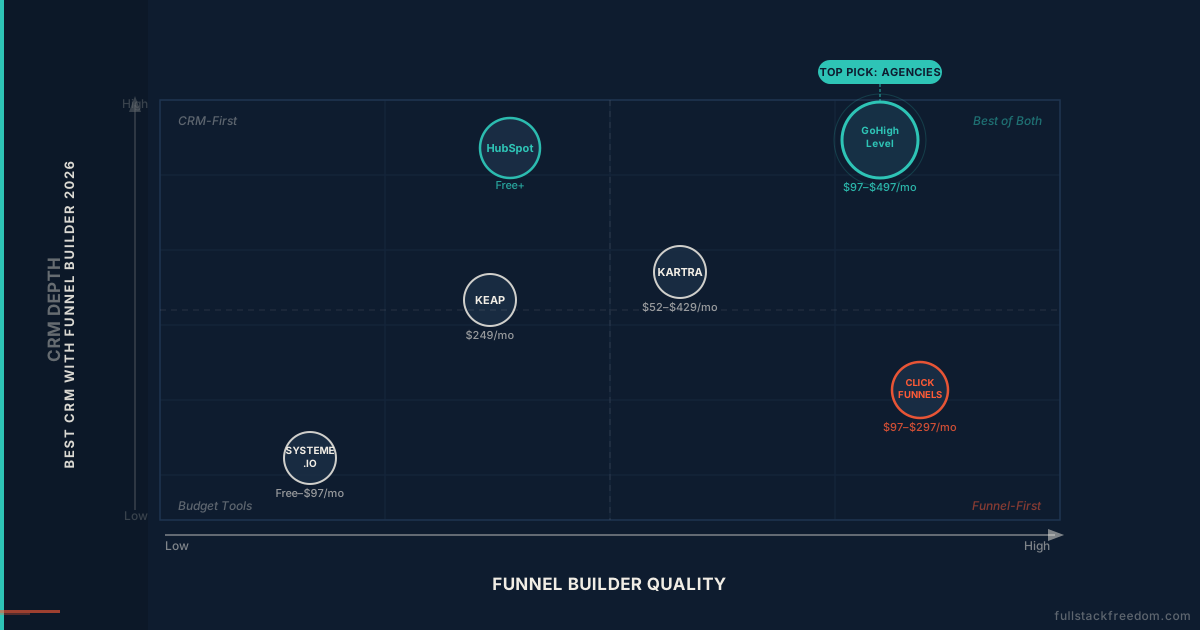
Also worth a look if you’re evaluating funnel-building alongside your CRM: best CRM with funnel builder breaks down the platforms that do both without requiring you to stitch two tools together.