Nobody wants to spend three hours formatting slides. You’ve got the ideas, you know the message. What you need is an AI presentation maker that turns your rough thinking into something polished without becoming a second job.
I’ve tested more of these tools than I’d like to admit. Some are genuinely useful. Others look impressive in a demo and fall apart the moment you try to build a real sales deck or investor pitch. This post covers the 9 tools I’d actually recommend to a founder or operator who needs to ship presentations fast.
Here’s the breakdown, starting with a quick comparison, then going deep on each one.
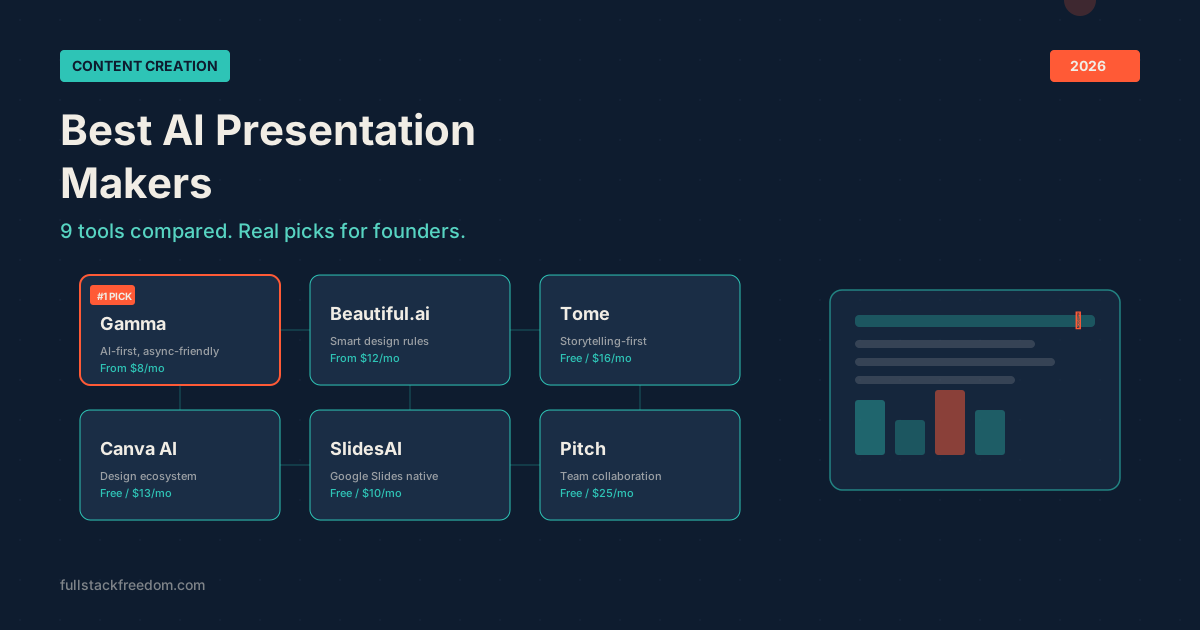
Quick Comparison: Best AI Presentation Maker Tools
| Tool | Best For | Free Plan | Paid From | Export Options |
|---|---|---|---|---|
| Gamma | All-around AI presentations | Yes (400 credits) | $8/mo | PPTX, PDF, Web link |
| Beautiful.ai | Design-first slide decks | Limited trial | $12/mo | PPTX, PDF |
| Tome | Storytelling and pitches | Yes | $16/mo | PDF, Web link |
| Canva AI | Visual-heavy presentations | Yes | $13/mo | PPTX, PDF, MP4 |
| SlidesAI | Google Slides users | Yes (3 presentations) | $10/mo | Google Slides native |
| Pitch | Team collaboration | Yes | $25/mo | PPTX, PDF |
| Prezi AI | Non-linear presentations | Limited trial | $15/mo | Web link, PDF |
| Plus AI | Google Slides power users | Trial | $10/mo | Google Slides, PPTX |
| Slidesgo AI | Template-based quick decks | Yes | $6/mo | PPTX, Google Slides |
The Best AI Presentation Makers, Reviewed
1. Gamma — Best AI Presentation Maker Overall
Gamma is the tool I reach for first, and it’s the one I use most often for client-facing sales decks. It takes a prompt-to-presentation approach that actually works: you describe what you want, and it generates a full deck with real structure and decent design in under a minute.
What sets Gamma apart from the rest of the pack is its flexibility. It doesn’t just do slides. You can create scrollable documents, one-page websites, and social cards from the same interface. The output format is web-native by default, which makes it perfect for async sharing: investor updates over email, internal reports in Slack, or sales decks that get forwarded without losing their formatting.
The Gamma Generate API (generally available since January 2026) is the real unlock for operators. I use it to programmatically generate sales decks from CRM data. Feed in a prospect’s details, get back a personalized deck. That’s the kind of leverage that actually matters when you’re running lean.
Standout features:
- AI agent that researches, refines content, and restyles entire decks through conversation
- Built-in AI image generation (Flux Fast, Nano Banana Pro)
- Embed support for Figma, Miro, Airtable, YouTube, and more
- Integrations with Zapier and Make (8,000+ connected apps)
- One-click website publishing from any deck
Pricing: Free plan with 400 AI credits. Plus at $8/mo, Pro at $18/mo, Team at $20/mo.
Bottom line: If you need one AI slide generator that covers the most ground, Gamma is the pick. The combination of speed, quality, and API access makes it hard to beat for founders and small teams. Try Gamma here.
2. Beautiful.ai — Best for Design-Obsessed Teams
Beautiful.ai takes a different approach than most tools on this list. Instead of generating everything from a prompt, it uses smart design rules that automatically adjust your layout as you add content. Move a text block, and everything else reflows. Add an image, and the slide rebalances.
This makes it excellent for teams that produce a high volume of decks and need design consistency without hiring a designer. The templates are genuinely good, not the generic clip-art-era stuff you see elsewhere.
The downside is it’s less “AI-first” than Gamma or Tome. You’re still building slides manually in many cases; the AI just makes the design process smoother. If you want fully generated presentations from a prompt, this isn’t the fastest path.
Pricing: Pro at $12/mo billed annually, Team plans available.
Bottom line: Pick Beautiful.ai when visual polish matters more than speed, and when your team needs a system that enforces brand consistency across every deck.
3. Tome — Best for Storytelling and Startup Pitches
Tome was one of the first tools to go all-in on AI-generated presentations, and it still excels at narrative-driven content. You give it a topic or outline, and it builds a deck that flows like a story, not just bullet points on slides.
Where Tome shines is pitch decks and fundraising materials. The output feels more like a polished narrative than a traditional slide deck. It’s web-native like Gamma, which means sharing is seamless. The AI writing quality is strong, and it handles image generation within the flow.
The limitations are real though. Export options are still restricted. Getting a clean PowerPoint file out of Tome has been a pain point since launch. If your audience expects a .pptx attachment, factor that in.
Pricing: Free tier available. Pro at $16/mo.
Bottom line: Tome is the storytelling specialist. Great for investor decks and narrative presentations, less ideal if you need traditional slide exports.
4. Canva AI (Magic Design) — Best for Visual-Heavy Presentations
Canva doesn’t need much introduction. What’s worth highlighting is how much their AI slide generation has improved. Magic Design lets you describe a presentation, and Canva generates it using their massive template and asset library.
The advantage is obvious: you’re working inside Canva’s ecosystem, which means access to millions of photos, icons, videos, and design elements. If your presentations lean visual (lots of images, infographics, branded assets), Canva gives you more raw material to work with than any other tool here.
The AI generation itself is solid but not as deep as Gamma or Tome. It’s more of a starting point that you customize in Canva’s drag-and-drop editor. For people already paying for Canva Pro, adding AI presentations to their workflow is a no-brainer.
Pricing: Free tier available. Pro at $13/mo (includes all Canva features).
Bottom line: If you’re already in the Canva ecosystem and your decks are visually driven, the AI presentation features are a strong addition. Not the best standalone AI slide generator, but excellent as part of a broader design toolkit. Canva also shows up in our list of best AI marketing tools for good reason.
5. SlidesAI — Best for Google Slides Users
SlidesAI plugs directly into Google Slides as an add-on, which makes it the path of least resistance if your team already lives in Google Workspace. You paste in text or a topic, pick a style, and it generates slides inside your existing Google Slides environment.
The integration is the selling point. No new app to learn, no new file format to deal with. Your presentations stay in Google Drive where your team already collaborates. The AI does a decent job with structure and layout, though the design options aren’t as polished as Beautiful.ai or Gamma.
Pricing: Free plan (3 presentations/month). Basic at $10/mo.
Bottom line: SlidesAI is the right choice if leaving Google Slides is a dealbreaker. The AI quality is good enough for internal decks and quick presentations.
6. Pitch — Best for Team Collaboration
Pitch positions itself as the modern alternative to PowerPoint for teams. The AI features let you generate slides from a prompt or URL, and the real-time collaboration tools rival Google Slides.
Where Pitch stands out is workflow. You get built-in video recording for async presentations, status tracking for deck reviews, and a template library that’s genuinely well-designed. The AI generation is capable (not best-in-class, but functional) and it’s wrapped in collaboration features that matter for teams.
Pricing: Free for individuals. Pro at $25/mo per member.
Bottom line: Pitch is less about AI power and more about team workflow. If your bottleneck is collaboration and review cycles rather than slide creation speed, it’s worth a look.
7. Prezi AI — Best for Non-Linear Presentations
Prezi has always been the outlier: zooming, panning, non-linear flow. Their AI features now help generate that unique format from a prompt, which removes the biggest historical barrier: Prezi presentations used to take forever to build.
The format works well for educational content, training materials, and any presentation where you want to show relationships between ideas rather than march through a linear sequence. It’s not for every use case, but when it fits, nothing else replicates it.
Pricing: Standard at $15/mo. Plus and Premium plans available.
Bottom line: Prezi is a niche pick. If the zooming format fits your content, the AI makes it dramatically faster to create. If you want traditional slides, look elsewhere.
8. Plus AI — Best Google Slides Add-On for Power Users
Plus AI is another Google Slides add-on, but aimed at a more advanced user than SlidesAI. It offers AI-powered editing, rewriting, and reformatting within Google Slides, plus the ability to generate full presentations from prompts.
The differentiator is the editing layer. You can select existing slides and ask the AI to rewrite them, change the tone, or restructure the layout. That makes it useful not just for creating new decks, but for improving existing ones, which is honestly where most people spend their time.
Pricing: Starts at $10/mo.
Bottom line: Plus AI is for Google Slides power users who want AI assistance across the full editing workflow, not just generation.
9. Slidesgo AI — Best for Quick Template-Based Decks
Slidesgo has been a go-to for free presentation templates for years. Their AI presentation maker lets you generate a full deck from a topic, styled with their template library.
It’s the most lightweight option on this list: no advanced AI agent, no API, no deep customization. But for quick internal presentations, school projects, or any situation where “good enough, fast” is the goal, it delivers.
Pricing: Free tier available. Premium from $6/mo.
Bottom line: Slidesgo is the budget pick. Fast, template-driven, and free for basic use.
How to Pick the Right AI Slide Generator
The right tool depends on what you’re actually building and how you work. Here’s a quick decision framework:
- You want the best all-around tool: Gamma. Covers the most use cases with the best balance of AI quality, design, and output flexibility.
- You need polished design on every slide: Beautiful.ai. Smart layout rules do the design work for you.
- You’re building pitch decks: Tome. The narrative-first approach fits fundraising better than bullet-point tools.
- You’re already in Canva: Use Magic Design. No reason to add another tool.
- Your team lives in Google Slides: SlidesAI or Plus AI, depending on whether you need basic generation or full editing assistance.
- You need team collaboration features: Pitch. Built for review cycles and async work.
- You want non-linear presentations: Prezi. Nothing else does the zooming format.
If you’re building out a broader AI-powered workflow, these tools pair well with the right AI automation tools and a clear AI strategy for your business.
What I Actually Use (And Why)
I’ll be direct: Gamma is my daily driver. I use it for sales decks, client proposals, and internal strategy docs. The API integration is what pushed it from “nice tool” to “core infrastructure” for me. I can generate personalized decks programmatically, which saves hours every week.
For quick visual assets that need to look polished on social, I’ll jump into Canva. And when I need to whip up a deck inside Google Slides because that’s what a client uses, SlidesAI gets the job done without friction.
But if I had to pick one? Gamma. It’s the most capable AI presentation maker I’ve used, and the free plan gives you enough credits to see if it fits your workflow before committing.
Wrapping Up
The AI presentation maker space has matured significantly. You’re no longer choosing between “basic AI that generates ugly slides” and “expensive design tool with a learning curve.” The tools above genuinely produce usable output, and several of them (Gamma especially) are good enough to send to clients without heavy editing.
Start with the comparison table, try 2-3 that match your workflow, and go from there. Most have free tiers, so the cost of experimenting is just time.
If you want the prompts and templates I use with Gamma to generate sales decks and client presentations, they’re all shared inside the Skool community. Come grab them.